

Introduction
Welcome to the Spring 2026 semester! Information Technology (IT) has made some changes during the winter break. Take a moment to familiarize yourself with changes you may encounter and some announcements you may have missed.
Reminders
Status Updates
Curious about whether a service or system is experiencing an issue? Review status.ggc.edu.
MyCourses Workshops
IT has scheduled online workshops for MyCourses features and integrated technologies. Check the GGC Events Calendar for dates and times!
Help Desk Single Point of Contact
The Help Desk is the central point of contact for all technology support requests. This includes but is not limited to password assistance, email delivery, MyCourses assistance, classroom technology support, and event technology support. To contact the Help Desk:
Email: helpdesk@ggc.edu
Web: helpdesk.ggc.edu
Phone: 678-407-5611
Temporary Location: Building L – First Floor. Help Desk hours are posted on the IT Services Help Desk page.
IT will never request your password or sensitive information via email, online form, text, or phone call.
J-440 Project Technology Impacts
Project J-440 requires changes to the technology available in some classrooms and the temporary relocation of the Help Desk.
Computer Classroom Technology Changes
During Phase 1 of Project J-440, two computer classrooms in Building A will go permanently offline. Specifically:
- A-1450 will become a mechanical room. The computers in this classroom have been permanently moved to W-2201.
- A-1930 will become a mechanical room. The computers in this classroom will be moved permanently to C-2230 in time for summer 2026.
Temporary Help Desk Relocation to Kaufman Library
On January 2, 2026, Information Technology (IT) will temporarily begin operating the Help Desk in the Kaufman Library (Building L) on the first floor during Project J-440.

The Help Desk will align support hours and services with the Spring 2026 Kaufman Library hours.
The Spring 2026 Help Desk hours are as follows:
- January 2, 2026 – January 9, 2026
- Monday-Friday 8:00a-4:30p
- January 12, 2026 -March 7, 2026*
- Monday-Thursday 7:30a-7:00p
- Friday 7:30a-5:00p
- Saturday 10a-2p (online and phone support only, no walk-up support)
*January 19, 2026, the Help Desk will be closed for the Martin Luther King, Jr. Holiday.
- March 8, 2026- March 15, 2026 (Spring Break)
- Monday-Friday 8:00a-4:30p
- March 16, 2026-May 15, 2026
- Monday-Thursday 7:30a-7:00p
- Friday 7:30a-5:00p
- Saturday 10a-2p (online and phone support only, no walk-up support)
Future hours will be announced via Inside GGC and IT Services.
Updated Services and Software
Simple Syllabus for Faculty CVs
IT partnered with Academic Affairs during the Fall 2025 semester to set up Simple Syllabus as GGC’s Curriculum Vitae repository solution. Simple Syllabus makes faculty CVs accessible to all Georgia Gwinnett College students and the public. Simple Syllabus allows faculty to quickly edit and publish their CVs, ensuring consistent and up-to-date faculty credentials.
All faculty CVs must be published by January 9, 2026.
Visit MyCourses Central – Syllabus and Curriculum Vitae for resources on using Simple Syllabus.
Please check the GGC Event Calendar for Simple Syllabus training opportunities.
MyCourses: New Content Experience
The New Content Experience (NCE) pilot will continue in MyCourses for the Spring 2026 semester. NCE is an updated interface for the Content tool in MyCourses, developed to provide a more streamlined approach to presenting content to students.
IT strongly recommends that instructors familiarize themselves with NCE throughout 2026, as it will become the default content experience for Spring 2027. Help Desk knowledge base articles and support materials will also be updated to reflect the New Content Experience.
Information Sessions will be hosted by IT throughout the Spring 2026 semester. If you’d like to test out NCE in a Sandbox course or Building Section, please submit the MyCourses: NCE Request form.
Turnitin: New Experience
A new Turnitin experience is now available in the Content tool in MyCourses. Instructors now have the option to add a New Standard Assignment or a Classic Standard Assignment through the Turnitin Activity link under Existing Activities/Add Existing.
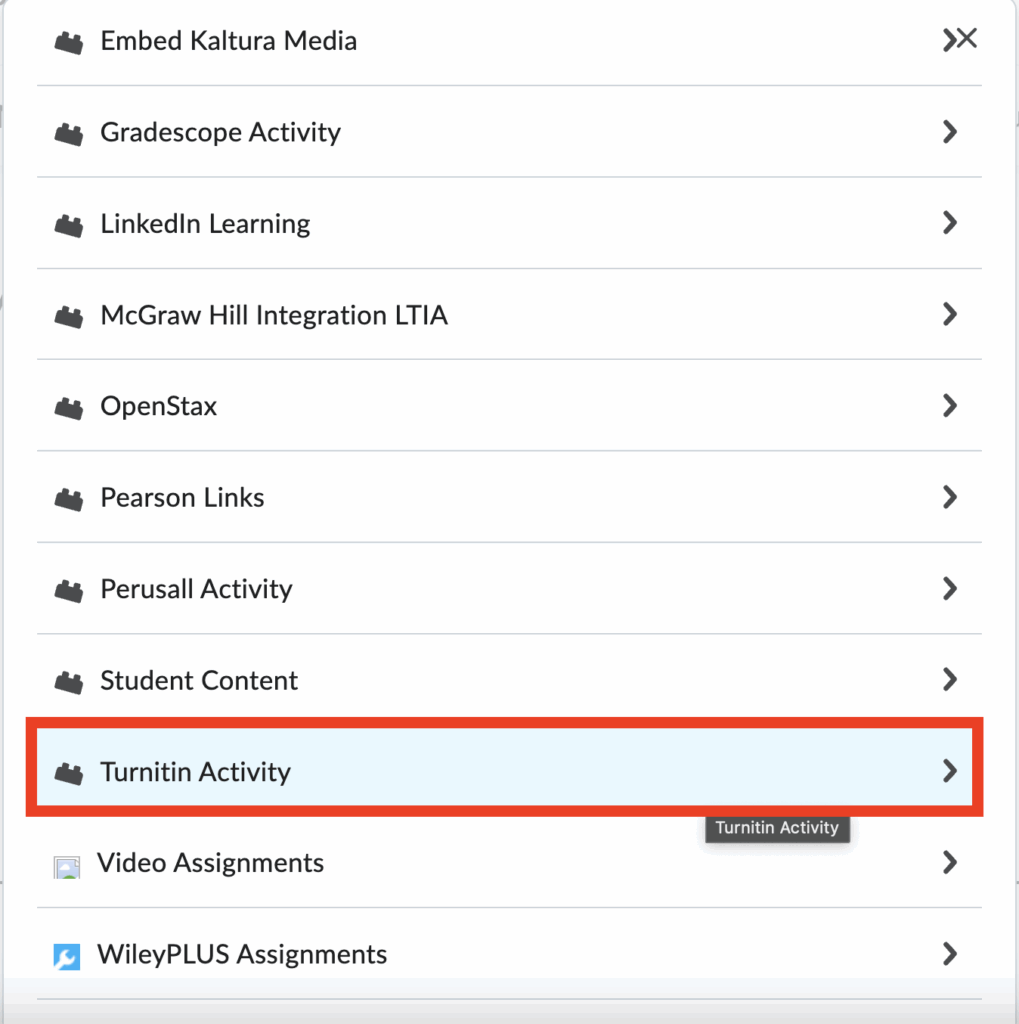
The New Standard Assignment will give instructors access to the new Similarity Report and Feedback Studio experience in Turnitin.
The Classic Standard Assignment can be used to create PeerMark assignments.
The Manage Turnitin setting will still be available in the MyCourses Assignments tool, but it will be connected to the old Similarity Report and Feedback Studio experience. An updated experience will be available via the Assignments tool in the future.
Gradescope
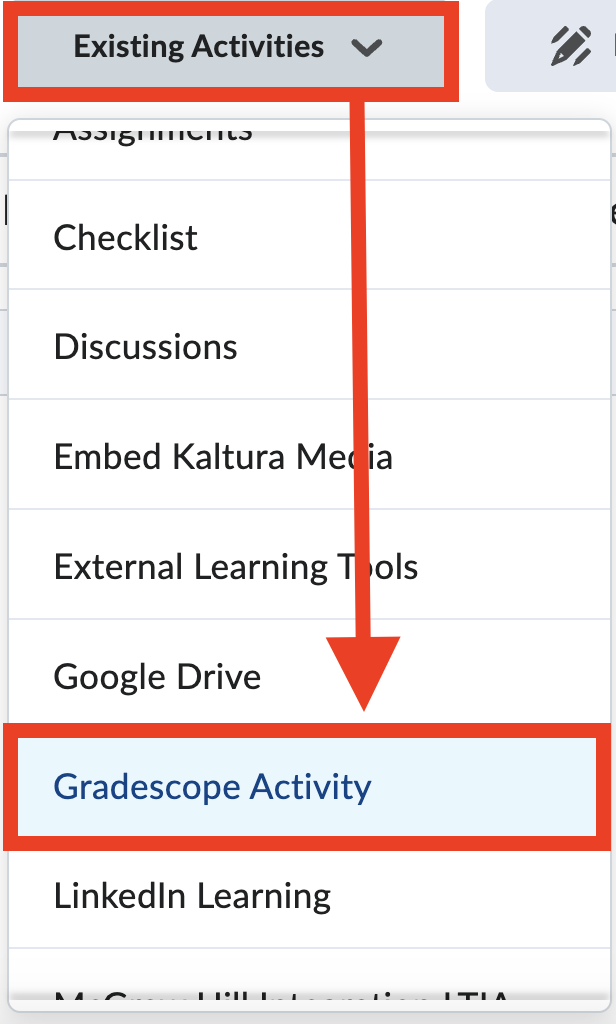
IT has updated the Gradescope integration in MyCourses to LTI 1.3. Please use the default course navigator bar in your courses to ensure access to the updated Gradescope link.
Instructors can add a deep-linking Gradescope activity to a module under Existing Activities/Add Existing.
McGraw Hill
McGraw Hill recently consolidated its Connect, GO, and SIMnet tools into one MyCourses integration. These tools can now be accessed under Existing Activities/Add Existing in Content.
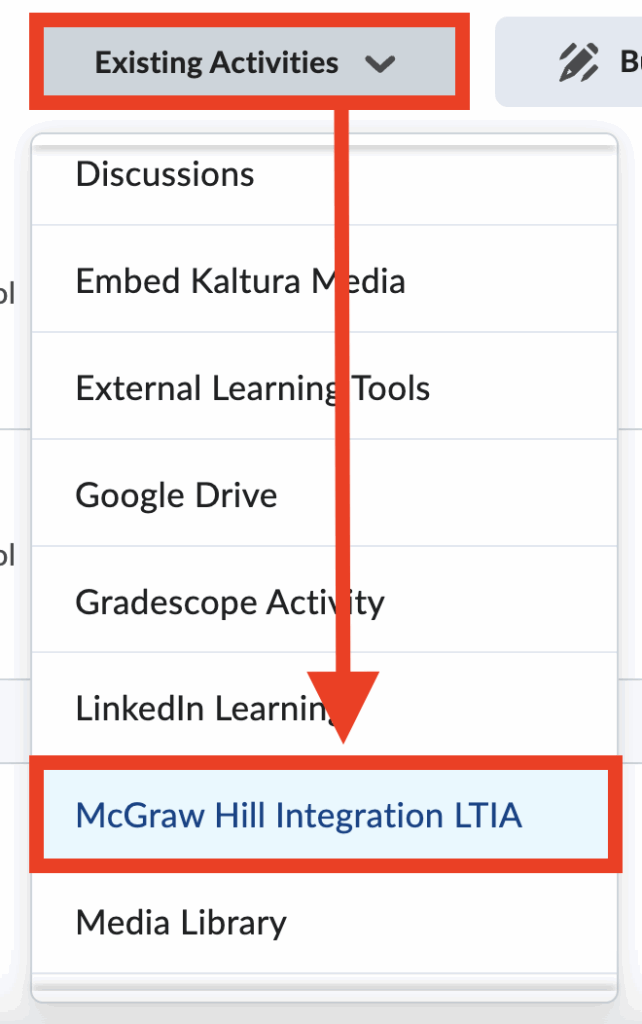
This link gives you the option to choose from Connect, GO, or SIMnet. McGraw Hill ALEKS will remain a separate tool for now.

Need Help?
Contact the GGC Help Desk
Email: helpdesk@ggc.edu | Web: helpdesk.ggc.edu | Phone: 678-407-5611
Check status.ggc.edu for system and services availability.
Learn more in IT Workshops – OR- Schedule a 1-1 Consultation