

Introduction
Welcome to the Fall 2026 semester! Information Technology (IT) has made some changes over the Summer semester. Take a moment to familiarize yourself with changes you may encounter and some announcements you may have missed.
Reminders
Status Updates
Curious about whether a service or system is experiencing an issue? Review status.ggc.edu.
MyCourses Workshops
IT has scheduled online workshops for MyCourses features and integrated technologies. Check the GGC Events Calendar for dates and times!
Help Desk Single Point of Contact
The Help Desk is the central point of contact for all technology support requests. This includes but is not limited to password assistance, email delivery, MyCourses assistance, classroom technology support, and event technology support. To contact the Help Desk:
Email: helpdesk@ggc.edu
Web: helpdesk.ggc.edu
Phone: 678-407-5611
Temporary Location: Building L – First Floor. Help Desk hours are posted on the IT Services Help Desk page.
IT will never request your password or sensitive information via email, online form, text, or phone call.
Updated Services and Software
Last Chance to Opt-in to the New Content Experience for MyCourses
The MyCourses New Content Experience (NCE) is available to opt in. The Fall 2026 semester is the last chance for instructors to choose to enable the new experience on a section-by-section basis. Please be aware that enabling or disabling NCE will also change the student experience in the course, so opting in or out after classes have begun is highly discouraged.

IT strongly recommends that instructors familiarize themselves with NCE throughout the Fall 2026 semester, as it will become the default content experience for Spring 2027. Help Desk knowledge base articles and support materials have been updated to reflect the New Content Experience.
NCE workshops will be hosted by IT throughout the Fall 2026 semester, and will be available on the GGC Events Calendar.
MyCourses External Learning Tool Upgrades
Microsoft Teams Experience for MyCourses
A new Microsoft Teams experience for MyCourses was announced at the beginning of the Summer 2026 semester. Information Technology upgraded to the new Microsoft Education integration for collaboration with Microsoft tools. The Microsoft Teams Course Connector is no longer available.

Microsoft Education allows instructors to create a course team based on the MyCourses Classlist and schedule class meetings inside of MyCourses. The additional Meetings feature eliminates the need for instructors to provide meeting links to students. Students can simply navigate to the Microsoft Education link to join a Meeting.

Edfinity
The Edfinity integration in MyCourses has been upgraded from the legacy LTI to LTI 1.3 for Fall 2026. The new integration allows instructors to add deep-linking quicklinks to Content with ease.
The new tool is available under Add Existing > More > Efinity Content Links.

WK Lippincott (thePoint)
The WK Lippincott integration, thePoint, in MyCourses has been upgraded from the legacy LTI to LTI 1.3 for Fall 2026. The new integration allows instructors to add deep-linking quicklinks to Content with ease.
The new tool is available for Nursing faculty under Add Existing > More > thePoint.

Kaltura User Interface Updates
IT completed a theming update to the Kaltura platform to address site security and improve user experience. MediaSpace, My Media, and the Course Gallery now have a new look and feel.


Help Desk knowledge base articles and support materials have been updated to reflect the new experience.
Panorama Structural Remediation Max
Structural Remediation Max is now available for faculty and staff. This advanced remediation feature helps address complex accessibility issues in PDF documents by improving document structure, including headings, lists, tables, reading order, and tagging. Structural Remediation Max can help reduce the time and effort required to make existing PDF content more accessible.
This feature is available inside the Panorama Remediation Engine. If your PDF is flagged with structural issues, Panorama will recommend remediating with Structural Remediation Max.

New Zoom Web Portal Experience
GGC Zoom users now have access to the new Zoom Web Portal Experience. Flip the Try the new experience toggle on the right of the toolbar to switch to the new experience.
The new experience will become the default experience on September 30, 2026. IT recommends that Zoom users familiarize themselves with the new experience before it becomes default.

Redesigned web home experience
The web signed-in homepage offers a cleaner layout, similar to the desktop app, with quick access to the universal header and options to start, join, or schedule a meeting.
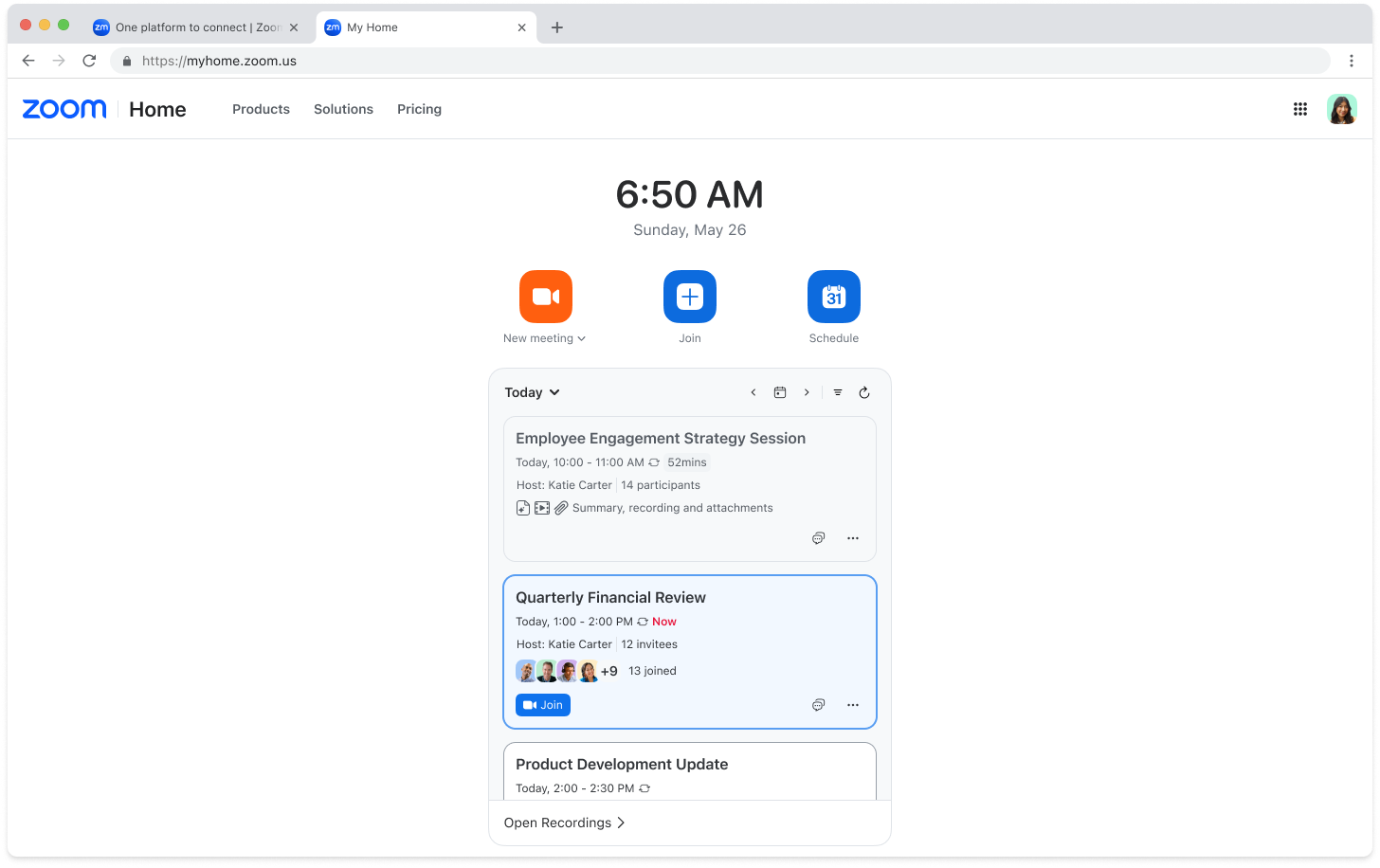
Universal header and simplified navigation
The enhanced header provides universal access to Home, product waffle menu, and profile menu.
Before

After

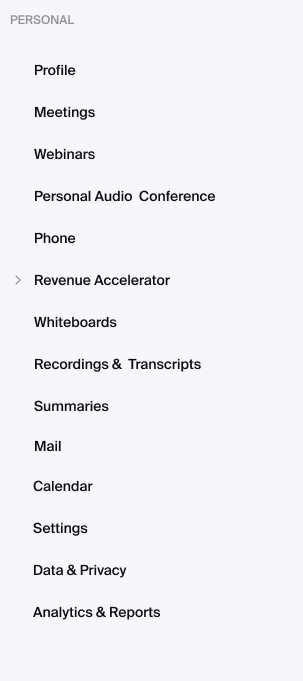
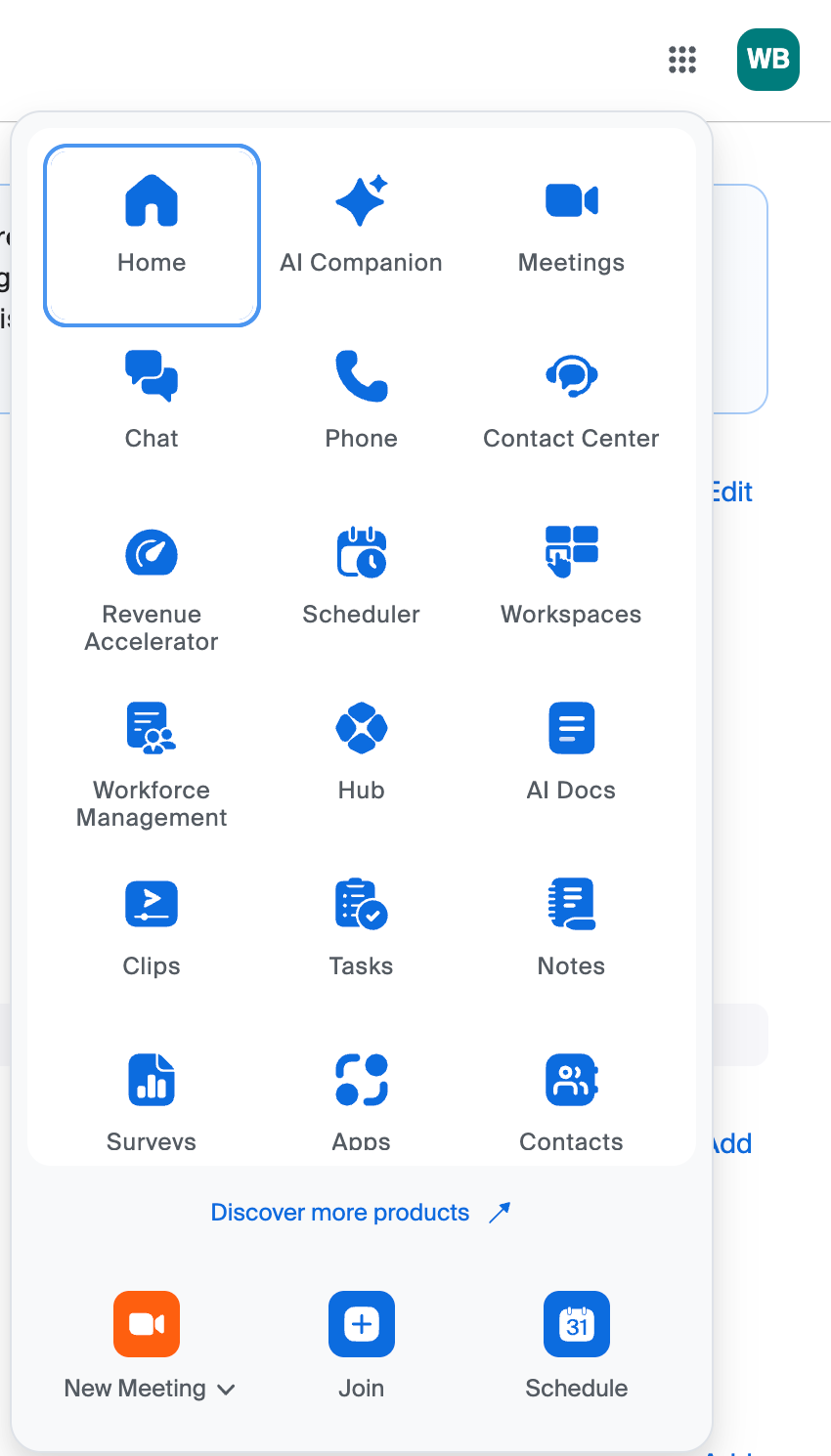
Product waffle menu
Located in the top-right corner of the universal header, the product waffle menu replaces the previous left navigation panel and provides a unified cross-product navigation. It opens each product in a new tab on the web, allowing users to configure a product’s settings on its own page. To customize how the products appear, click the product waffle menu, then drag and drop items to reorder them.
Before
After
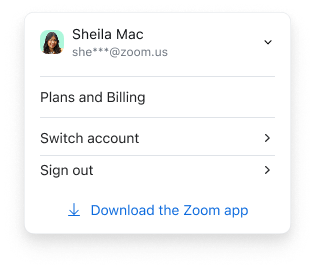
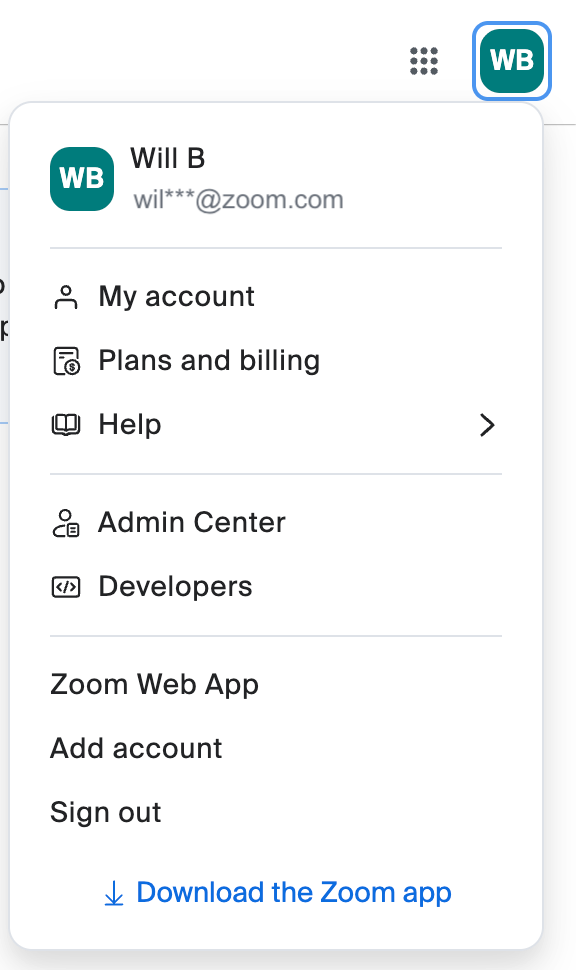
Profile menu
Located in the top-right corner next to the product waffle menu, the new Profile menu has more options and provides a clear split between personal and admin controls through My account and Admin Center. Users can click My account to access their personal profile settings. Account owners and admins can click Admin Center to access account management.
Before
After
Classroom Technology
Summer Upgrades in 29 Classrooms
Throughout Summer 2026, IT continued its classroom modernization efforts by upgrading 29 additional classrooms to the standard classroom technology design introduced in Spring 2025. These latest enhancements increase the percentage of upgraded standard classrooms across campus to 47 percent. The upgraded classrooms have demonstrated improved reliability and performance, helping reduce technology-related disruptions and creating a more consistent teaching and learning experience for faculty and students.
The standard classroom technology design features a new style of lectern and audio-visual cabinet. The lectern is ADA-compliant with height adjustment capabilities. The lectern includes a single touch-enabled monitor. A dual monitor experience can be achieved when a laptop is connected with the available HDMI cable. The touch-enabled monitor, when combined with Ink2Go, allows for screen annotation.

Additionally, the audio-visual cabinet will be separate from the lectern to allow for easier repairs and equipment replacement. This cabinet will be available in “standard classrooms”.
IT has also updated the controls used to turn on the classroom technology, switch sources between in-room PC, HDMI, and document camera. Rather than the touchscreen device, you will now use this new controller to switch between sources and control the volume of the speakers.

Please note that the equipment in the audio-visual equipment cabinet will be secured and will no longer be directly accessible. The in-room PC will continue to be available to faculty.
If you require assistance with using your classroom technology, please request a consultation.
The “standard classroom” includes:
- An ADA-compliant lectern
- A single touch-enabled monitor
- A projector
- Ceiling-mounted speakers
- An in-room computer with the Windows operating system (OS)
- A DVD drive
- An HDMI input (used to connect laptops and other devices)
- A document camera
- The ability to present wirelessly (AirMedia)
- A webcam with integrated microphone
- A control system for switching content sources
The following 29 classrooms were upgraded to this “standard classroom” design during Summer 2026:
- A1120
- A1130
- A1140
- A1150
- A1185
- A1220
- A1380
- B1100
- B1700
- B1750
- B2900
- C1120
- C2110
- C2140
- H1204
- H1211
- H1242
- H1243
- H1245
- H2238
- H2239
- H3233
- H3234
- W1103
- W1104
- W3116
- W3119
- W3146
- W3147
Whiteboard / Multipurpose board replacements
Classrooms are outfitted with whiteboards or multipurpose surfaces for projection and instruction. IT continued to replace these surfaces in multiple buildings due to wear and tear.
Classrooms where whiteboards or multipurpose surfaces were replaced during Summer 2026 are as follows:
- A1120
- A1130
- A1140
- A1150
- A1185
- A1220
- A1380
- B1100
- B1700
- B1750
- B2900
- H1204
- H1211
- H1242
- H1243
- H1245
- H2238
- H2239
- H3233
- H3234
- W1103
- W1104
- W3116
- W3119
- W3146
- W3147
Need Help?
Contact the GGC Help Desk
Email: helpdesk@ggc.edu | Web: helpdesk.ggc.edu | Phone: 678-407-5611
Check status.ggc.edu for system and services availability.
Learn more in IT Workshops – OR- Schedule a 1-1 Consultation
TABLE OF CONTENTS